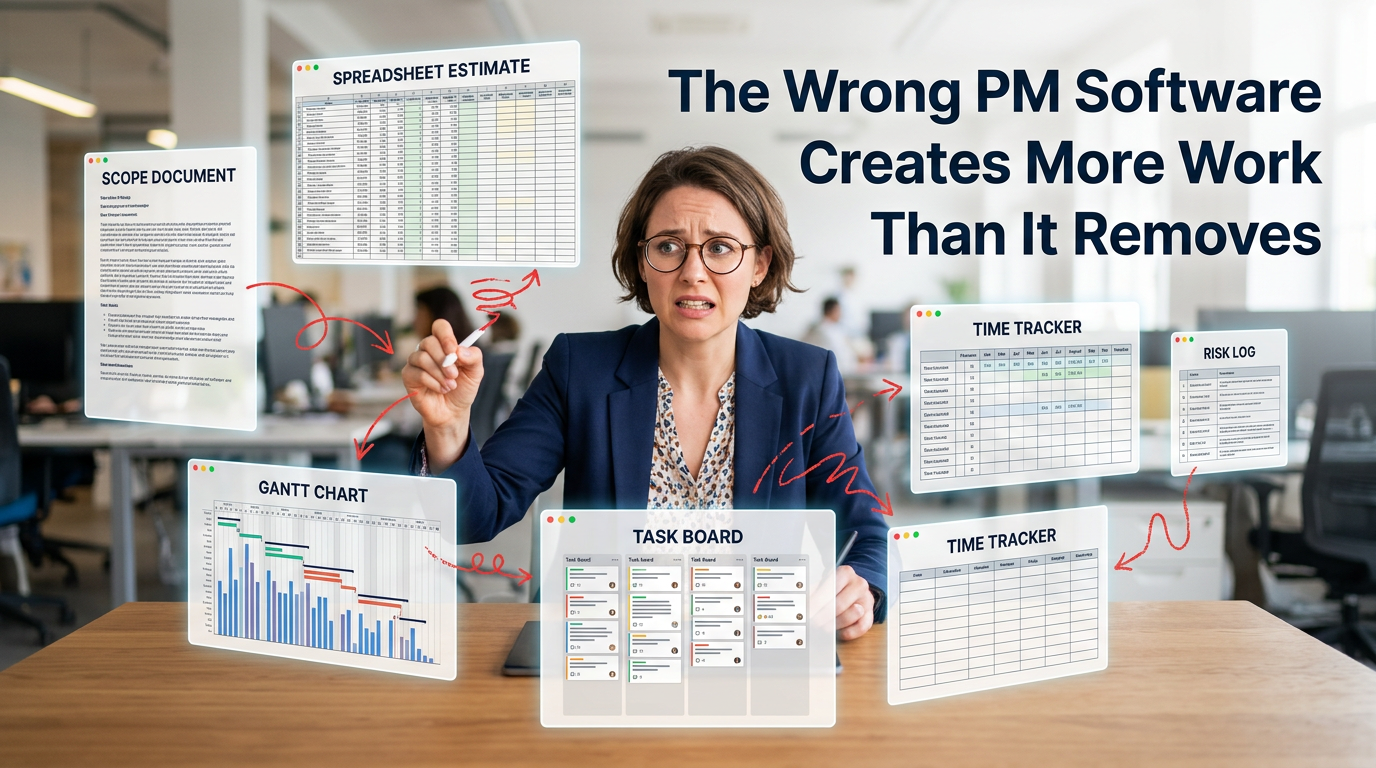
Project management software is supposed to make projects easier to run. So why do so many project managers spend their week copying information from one system into another?
Walk through a typical project and you’ll see it. The charter and scope sit in a Word document. Requirements live in Excel, and so does the estimate, in a different spreadsheet. The schedule is in Microsoft Project or Smartsheet. Development work is tracked in Jira, while business tasks are in Asana, monday.com, or ClickUp. Time gets logged somewhere else entirely. Risks have their own spreadsheet, documents are scattered across SharePoint and Google Drive, and the team is talking it all through in Teams or Slack.
Then Friday comes, and leadership wants a status report. Now somebody has to figure out whether all of those versions of the project still agree with each other.
That isn’t project management. That’s data reconciliation. And most organizations badly underestimate what it costs them.
The Real Cost Isn’t the Subscription
When people talk about the cost of project software, they usually mean licenses. That’s the smallest line item. The real cost shows up in time spent entering the same data twice, in numbers that don’t match from one report to the next, in changes that got made in one system and never reached the others, and in meetings that open with ten minutes of arguing over which version is current. Worst of all, it shows up as a project manager spending Thursday afternoon building a status deck instead of managing delivery.
That’s why the software decision matters more than most people treat it. A project management tool shouldn’t just give you one more place to enter tasks. It should help you build a coherent model of the project.
Tasks are only one piece of that model. A real project has business outcomes and stakeholders. It has scope, requirements, and a work breakdown structure. It has estimates, resources, and a schedule. It carries risks, decisions, changes, actual hours, actual costs, and progress against the plan, and at the end, lessons learned. If your system only manages one or two of those, you still have to decide where everything else lives. That’s exactly how tool sprawl starts.
Integrations Are Bridges, and Bridges Need Maintenance
In fairness, the major platforms know this is a problem, and they’ve built serious products around it. Asana connects to hundreds of other tools and has added portfolios, goals, and dashboards. monday.com leans heavily on integrations and automation to pull outside data into its boards. Smartsheet openly markets itself as a way to consolidate siloed work into a single source of truth. ClickUp keeps widening its footprint into docs and communication. Jira is still excellent for software and technical work, and Atlassian has been adding project-level context on top of it because, by its own account, the detailed work often lives in Jira while the bigger project questions get answered somewhere else.
These are capable products, and I’m not here to knock any of them. But there’s a lesson in that landscape: if your project environment needs a web of integrations just to understand one project, your tool setup may be working against you.
Integrations are useful, and sometimes they’re absolutely necessary. But an integration is still a bridge between two separate sources of information, and bridges need maintenance. Fields have to map correctly. Automations have to keep firing. Permissions have to stay in sync. One tool updates faster than the other. And somebody still has to know which system owns which piece of data.
A large enterprise can absorb that. It has administrators, integration teams, a PMO, maybe an enterprise architect or two. A small business has none of that. The owner is already wearing five hats, and the last thing they need is five applications describing the same project five different ways.
Six Views of the Same Job
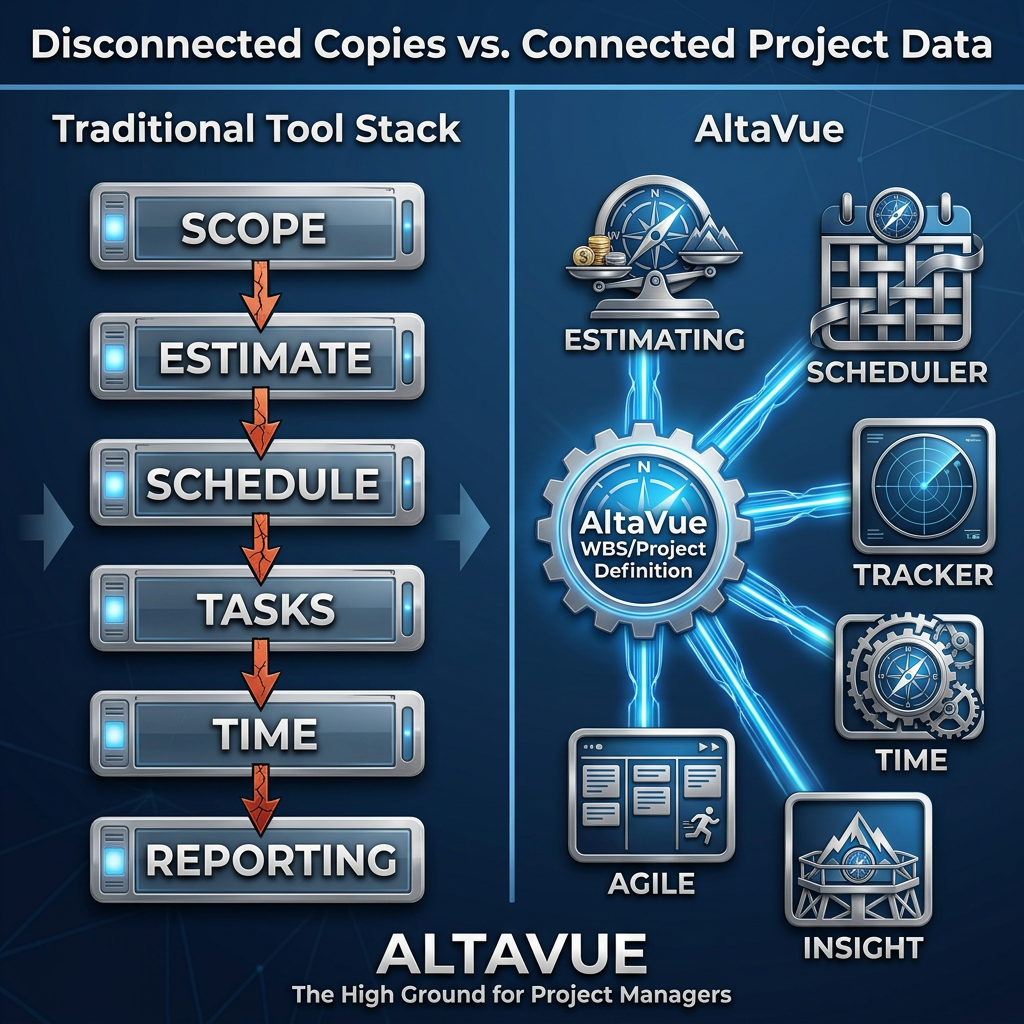
Picture an electrical contractor. The scope spells out what work has been agreed to. The estimate turns that scope into labor, materials, subcontractor costs, and everything else. The schedule decides when the work happens. Timekeeping records what actually happened in the field. Project tracking compares that performance against the plan, and financial reporting tells the owner whether the job is still making money.
Those aren’t six unrelated activities. They’re six views of the same job. So why should that contractor have to define the same job six separate times?
That question sits at the center of AltaVue, the platform I’m building, and the answer comes down to four words: define once, use everywhere.
The idea is straightforward. You define the project correctly up front. You frame it, identify the stakeholders, and set the expected outcomes. You build the scope, capture the requirements, prioritize them, and identify the risks. You lock in a scope baseline, and from that structure you build the work breakdown structure. Then you reuse that same structure for the life of the project. Estimating shouldn’t mean rebuilding the project from scratch. Scheduling shouldn’t require a second version of the WBS. Tracking shouldn’t invent its own categories. Agile work shouldn’t live in a completely separate universe. Time entries should tie back to the work people are actually doing, and the financial picture should tie back to the same project definition everyone started from.
Anyone who has served will recognize the principle. In the Army we called it a common operating picture: everyone from the squad leader to the commander looking at the same map, built from the same information, so decisions get made on one version of reality. Projects need the same thing. Most of them don’t have it.
Data Drift: How Good Projects Go Sideways
Define once, use everywhere sounds simple. But it solves one of the most damaging problems in project management: data drift.
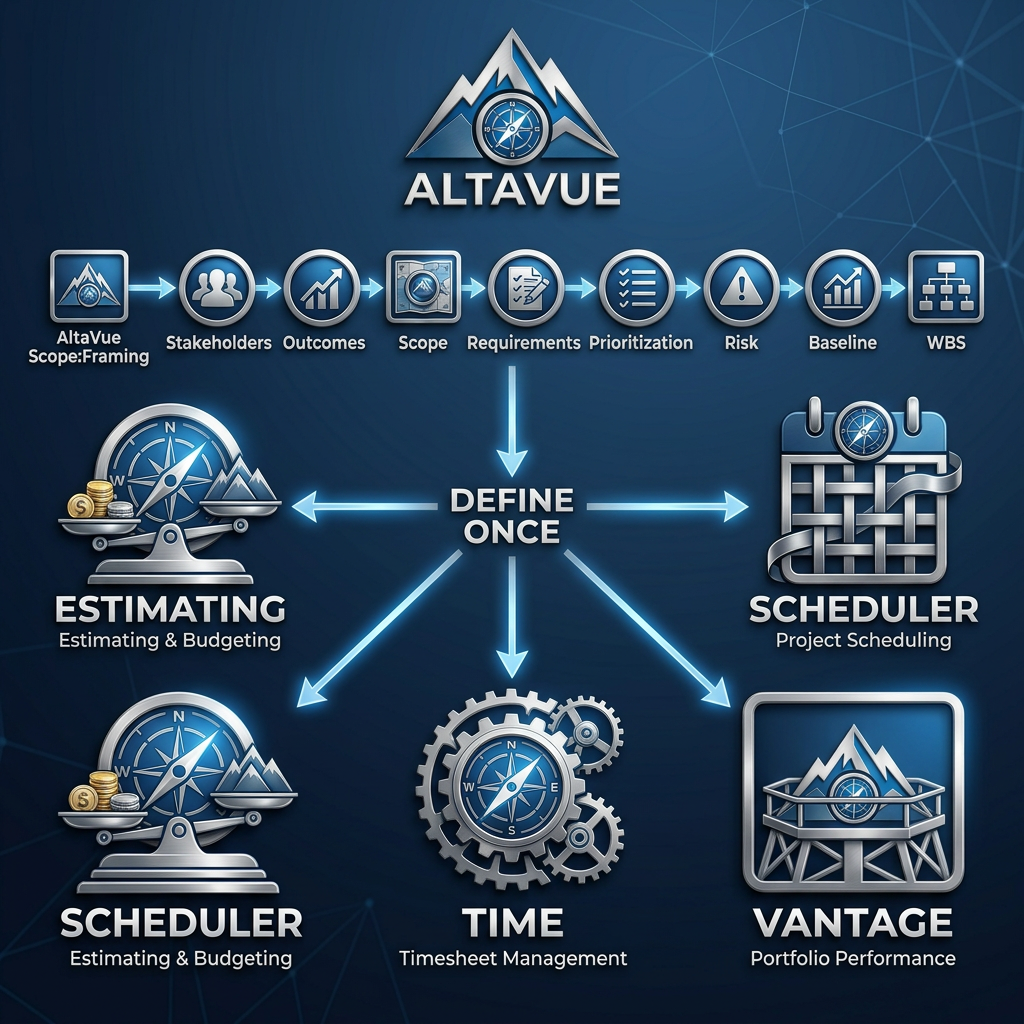
Data drift happens when the project changes in one place and not in another. A scope item changes, but the estimate doesn’t. A schedule activity moves, but the task board doesn’t. A WBS element gets renamed, but timekeeping is still using the old name. Now the project manager is holding multiple versions of reality, and sooner or later someone makes a decision based on the wrong one.
Ask a Different Question Before You Buy
That’s why I believe project management software needs to be evaluated differently. Most buyers start with features. Does it have Kanban boards? Gantt charts? Dashboards? Automation? Does it connect to Slack? Those questions matter, but they aren’t the first question.
The first question is this: how many times will my team have to define the same project?
After that, I’d want to know where the scope lives, where the baseline lives, and where the WBS, the estimate, the schedule, the actual hours, and the performance data live. Then comes the one that really matters: are those separate copies of information, or connected views of the same project?
The goal isn’t simply fewer applications. Some organizations legitimately need specialized tools, and that’s fine. The goal is fewer disconnected versions of the truth.
Why It Matters Most When a Project Is in Trouble
There’s another reason I care about this, and it comes straight from project recovery work. When a project starts going sideways, the first thing leadership needs is an accurate picture of where things actually stand. What was the approved scope? What was estimated, and what has actually been spent? What’s complete, what’s behind, which requirements changed, which risks came true, and which decisions are still waiting on someone?
If that information is spread across six tools, recovery doesn’t start with fixing anything. It starts with an archaeology dig. Whoever is brought in to turn the project around has to reconstruct it before they can recover it. That burns time the project doesn’t have, and it erodes confidence fast. Executives start asking which number is right, which schedule is current, whether something was ever in the baseline, who approved a change, and where a cost came from. A good project management system makes those questions easy to answer. A bad setup makes them nearly impossible.
Small Businesses Need Control, Not More Administration
This is especially true for small businesses. A small business doesn’t need more project administration. It needs more project control, and that distinction is everything.
The right software should make good project management easier. It should guide people toward better structure, cut out duplicate work, and keep the thread intact between scope, estimate, schedule, actual performance, and outcome. Ideally, it should also help someone who isn’t a career project manager build better habits just by using it.
That’s what we’re building toward with AltaVue. Not another task manager. Not another disconnected dashboard. A connected project management platform built on one basic idea: define the project correctly once, then let that definition flow through the rest of the work.
Project managers already have enough to do. Their software shouldn’t add to the pile.